GBG Debian 13 Linux
The ultimate, ready-to-use operating system built for every desktop PC and laptop. It combines the unmatched stability of Debian 13 with the modern aesthetics of KDE Plasma 6, pre-installed essential tools, full hardware support, and effortless one-click installation.
Live USB Environment Screenshots
Click on any screenshot to view it in full resolution. Everything works right out of the box.
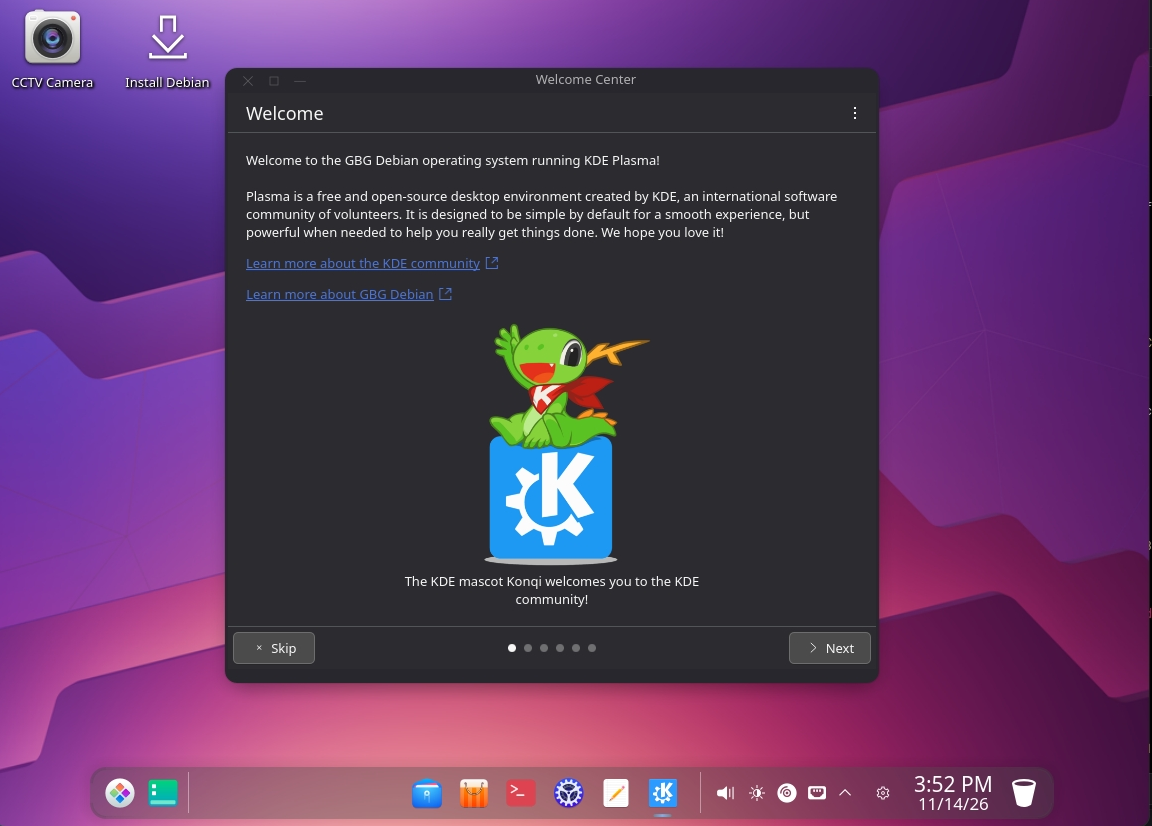
1. Welcome Center & One-Click Install
Clean KDE Plasma 6 desktop with floating dock, CCTV Camera shortcut, and passwordless Calamares installer.
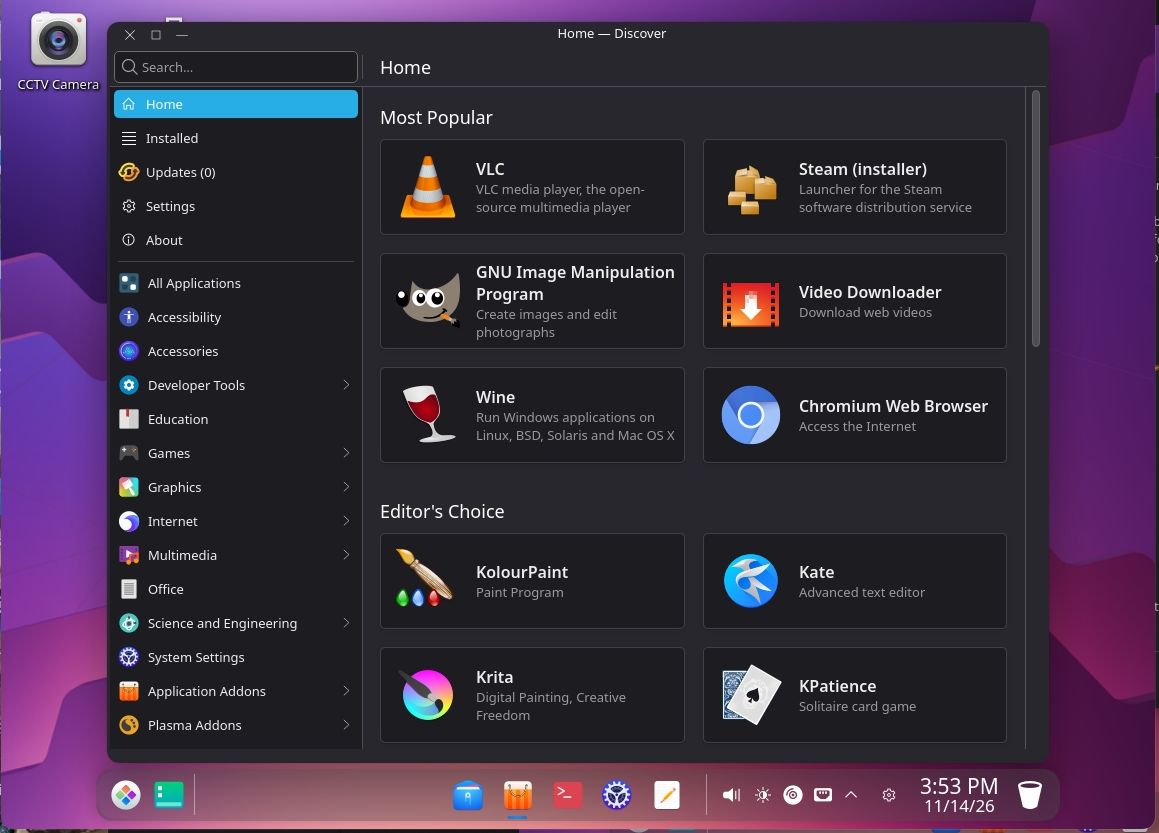
2. Built-in App Store (Flatpak & Snap Ready)
Install VLC, Steam, Wine, Chromium, Krita, and thousands of apps with a single click via Discover.
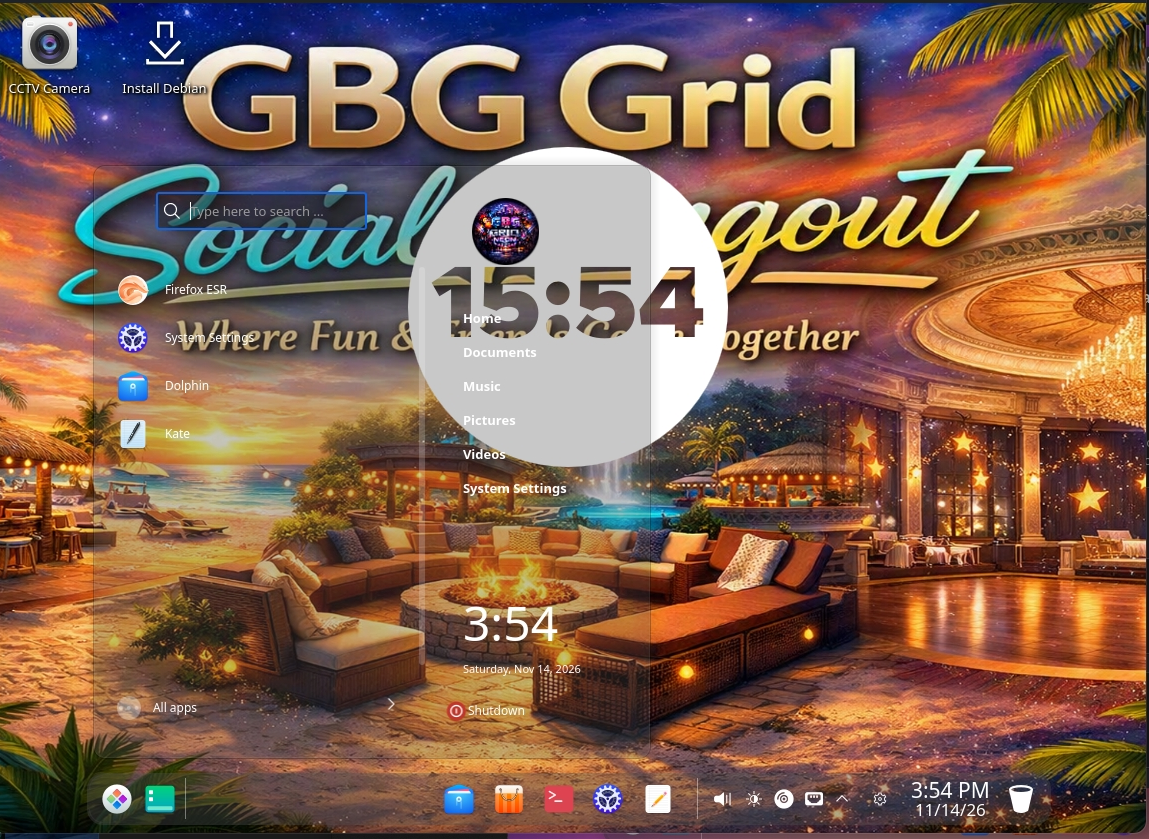
3. Custom Full-Screen Desktop & Launcher
Full-screen GBG Grid background, sleek transparent application launcher, and custom profile branding.
Why GBG Debian 13 is Ideal for Every PC & Laptop
Engineered to eliminate the common headaches of traditional Linux distributions right out of the box.
Debian 13 Speed & Rock-Solid Stability
Built on the latest Debian 13 (Trixie) foundation. It never crashes, stays fast over time, and breathes new life into both modern workstations and older laptops.
Complete Hardware & Wi-Fi Support
Includes full non-free-firmware packages out of the box (Intel, AMD, Nvidia, Broadcom, Realtek, Atheros), ensuring Wi-Fi, audio, and graphics work immediately.
User-Friendly & Effortless Installation
Test everything safely in Live USB Mode without touching your hard drive. When ready, launch the Calamares Installer with one click (no password needed) and install in minutes.
Polished KDE Plasma 6 Experience
Pre-configured with the sleek Deepin Dark theme, custom icon set, factory-enabled Jelly Windows effects, and a clean, intuitive taskbar layout.
What s Included Pre-Installed in the ISO
No need to hunt for essential software after installation. Everything is already built-in and ready:
🌐 Internet, Communication & Remote Access
- Mozilla Firefox: Ready for fast, private, and secure web browsing.
- FileZilla: Full-featured FTP/SFTP client for effortless file and server management.
- Remmina: Complete remote desktop client supporting RDP, VNC, and SSH protocols.
- Network & File Sharing: Built-in Samba support for seamless local network drives.
🛠️ Multimedia, Utilities & Package Managers
- Deepin Utilities & Icon Pack: Elegant system tools paired with modern Deepin icons.
- CCTV Camera Live Viewer: Instant desktop shortcut for direct live security camera streaming.
- Snap & Flatpak Ready: Pre-configured support to install thousands of extra apps with one click.
- Calamares Passwordless Installer: Graphical system installer with automatic admin privileges.
💻 System Requirements
- Processor: Any 64-bit (amd64) Intel or AMD CPU (Core 2 Duo, i3/i5/i7/i9, Ryzen, etc.)
- Memory (RAM): 2 GB minimum • 4 GB or more recommended
- Storage Space: At least 15 GB of free disk space (SSD or HDD)
- Boot Compatibility: Full support for Legacy BIOS, UEFI, and Ventoy Multiboot USB
⚡ How to Install in 3 Simple Steps
- Copy to USB: Drop
gbg-debian13-amd64.hybrid.isoonto a Ventoy USB drive (or flash it with BalenaEtcher / Rufus). - Boot Live Mode: Boot your PC or laptop from the USB drive and test the full desktop live.
- One-Click Install: Double-click the Install System (Calamares) icon on the desktop, select your language and drive, and finish in 5 minutes!
📥 Direct Download & File Verification (Checksums)
Verify the integrity of your downloaded ISO image using the official MD5 or SHA1 hashes below:
9f03c258135166313d3c2c609029b1b7
30adf03144467f8d380ad62905701be3ae814a08